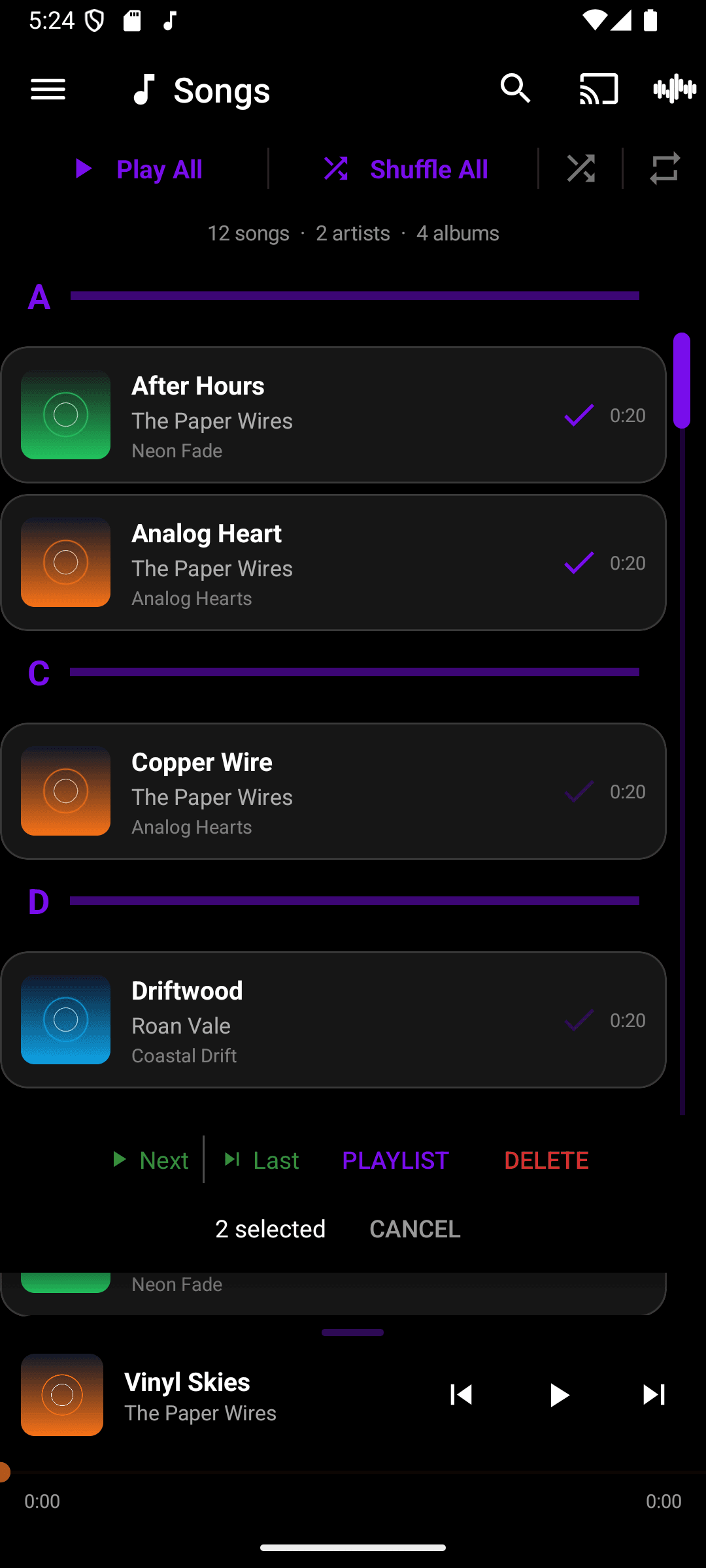
Group select
When you need to act on several tracks at once — queueing up an album, moving a batch into a playlist — group select lets you multi-select instead of repeating the same action one row at a time.
- Long-press any row in a list to enter selection mode — a checkmark appears on each row.
- Tap additional rows to add or remove them from the selection.
- Use the bar at the bottom (Next, Last, Playlist, Delete) to act on the whole selection at once.
- Tap Cancel in that bar to exit selection mode.